
What Is OCR? A Complete Guide to Optical Character Recognition Technology
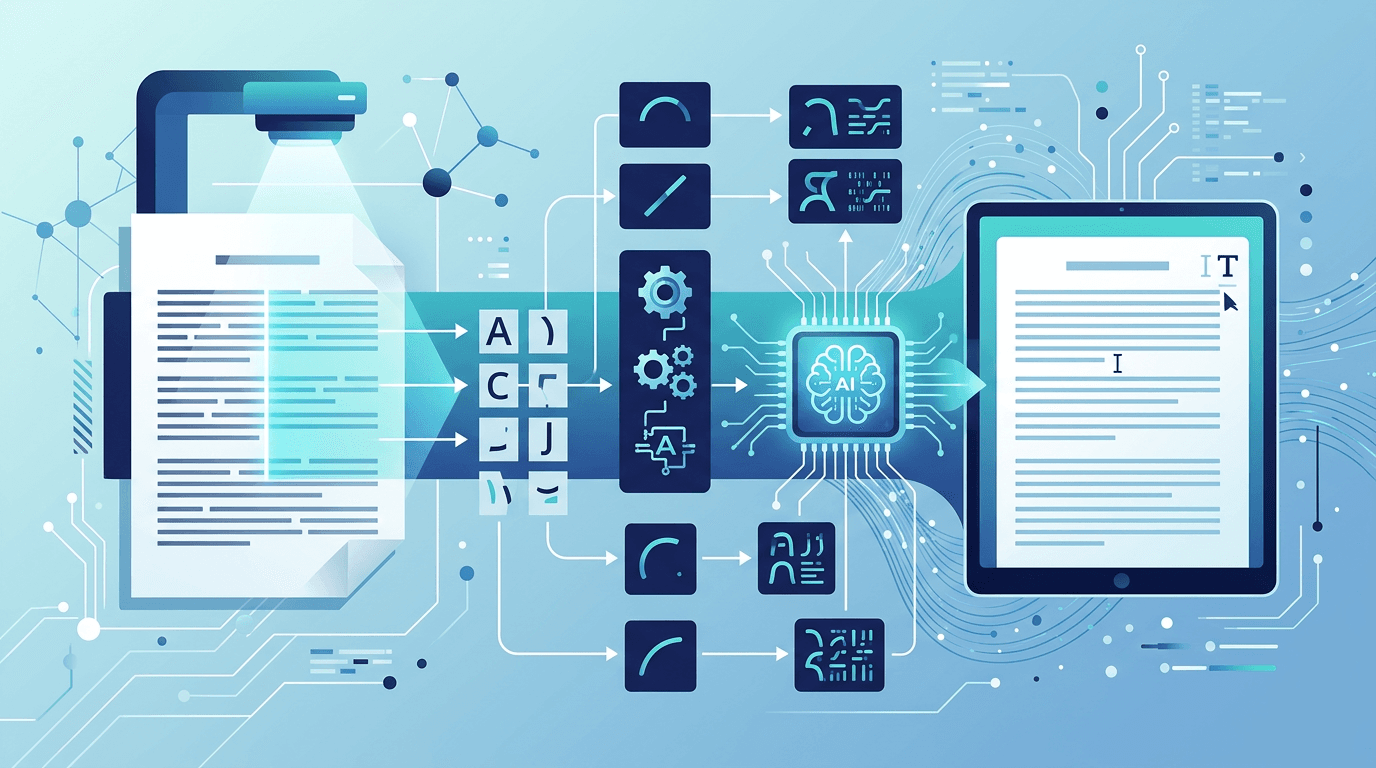
Every time you snap a photo of a receipt and have the amounts automatically entered into an expense app, or photograph a business card and have the contact details imported to your phone, you're experiencing OCR in action. Optical Character Recognition is one of those technologies that has quietly become indispensable — it's everywhere, yet most people know little about how it actually works.
This guide breaks down exactly what OCR is, the technology behind it, where it's used, and what its limitations are.
The sections below explain OCR technology in general. Features such as layout reconstruction, translation, automatic language detection and handwriting models vary by product. This site’s Image to Text tool extracts plain text from one image using one manually selected language; it does not provide those broader features.
What Is OCR?
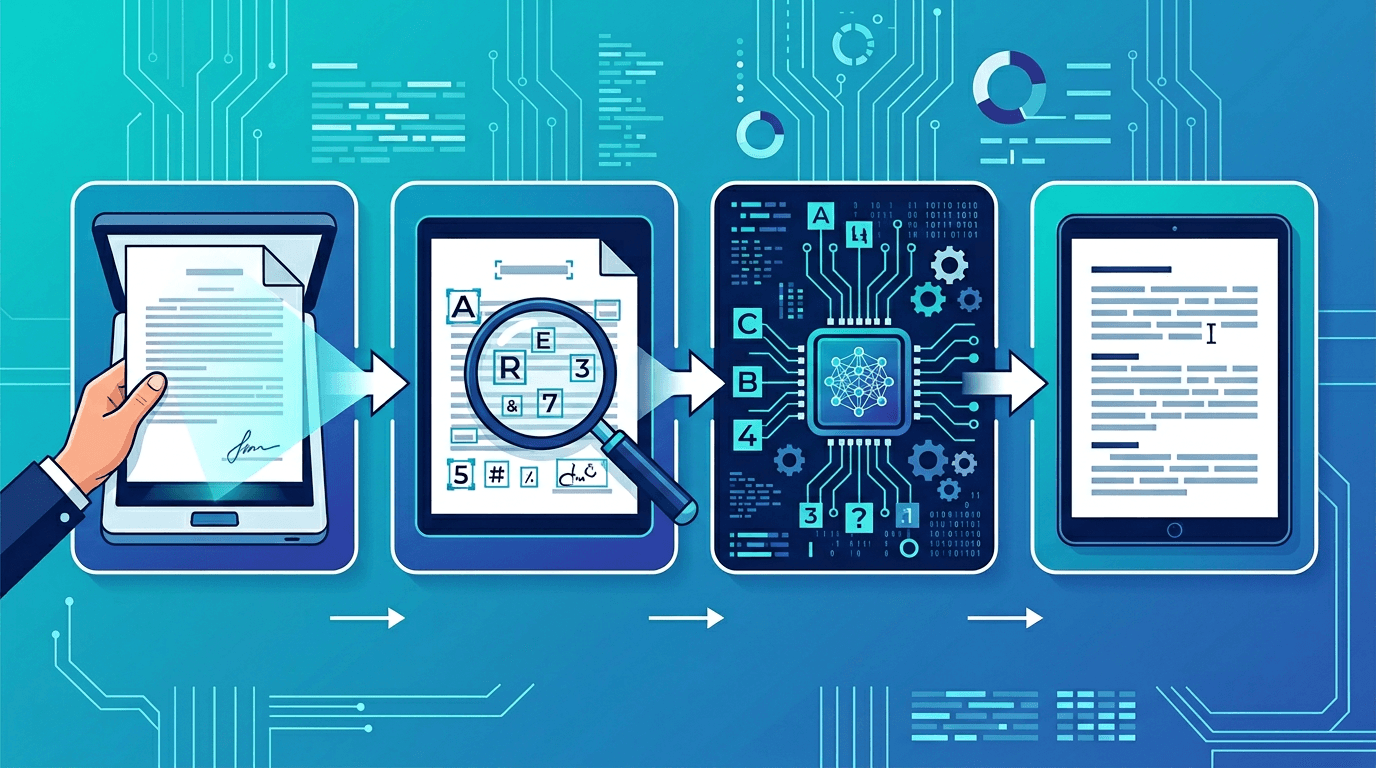
OCR stands for Optical Character Recognition. It's a technology that enables computers to identify and extract text from images, scanned documents, and photographs, converting visual text into machine-readable digital text.
At its core, OCR does four things:
- Recognizes text — in images, scanned documents, and photos
- Converts visual text — into digital, editable, searchable format
- Enables search — over previously unsearchable image-based content
- Automates data entry — extracting information from physical documents
Before OCR, a photograph of a document was just a photograph — the text in it might as well not exist for a computer. OCR bridges the gap between the physical world of printed text and the digital world of searchable, processable data.
How OCR Technology Works
Modern OCR involves a sophisticated pipeline of processes. Understanding these stages helps explain both why OCR is so accurate in good conditions and why it struggles in challenging ones.
Stage 1: Image Acquisition
The process begins with capturing or importing the image:
- Scanning a physical document with a flatbed or document scanner
- Photographing text with a smartphone camera
- Taking a screenshot of on-screen content
- Importing an existing image file (JPG, PNG, PDF, TIFF, etc.)
The quality at this stage is critical — it sets the ceiling for everything that follows. A blurry or poorly-lit photo will produce poorer results than a clean, high-resolution scan.
Stage 2: Image Preprocessing
Before any character recognition begins, the image undergoes several enhancement operations:
- Binarization: Converts the image to pure black and white. This removes color information and simplifies the image, making it easier to distinguish text from background.
- Noise reduction: Removes specks, grain, and image artifacts that could be mistaken for characters.
- Deskewing: Corrects for tilted or rotated documents. If you photograph a page at a slight angle, this step straightens it.
- Despeckling: Removes small random dots from the image.
- Layout analysis: Identifies and separates different regions — main text, headers, sidebars, tables, images — so each can be processed appropriately.
Stage 3: Character Recognition
This is where the actual text identification happens. Modern OCR engines use multiple approaches simultaneously:
Pattern matching: Compares individual characters against a library of known character shapes. Effective for standard, well-defined fonts.
Feature detection: Analyzes unique structural features of each character — curves, intersections, enclosed spaces. For example, the letter "B" has two closed loops on the right side; the letter "P" has one. These structural features allow recognition of characters even when exact shapes vary.
Neural networks: Modern OCR engines use deep learning models trained on millions of text samples. These models have learned to recognize characters across an enormous variety of fonts, sizes, handwriting styles, and image conditions.
Contextual analysis: After individual characters are identified, linguistic analysis improves results. If the character detection identified "h0use" instead of "house," the language model recognizes that "0" in this context is more likely an "o" based on surrounding words and language patterns.
Stage 4: Post-Processing
The final stage refines and packages the output:
- Spell checking: Flags and corrects obvious errors using dictionary lookup
- Layout preservation: Maintains the structural formatting of the original document (columns, tables, paragraph breaks)
- Confidence scoring: Assigns a confidence percentage to each recognized character or word, letting applications flag low-confidence results for human review
- Output formatting: Exports results in the desired format (plain text, searchable PDF, Word document, structured data)
Types of OCR Technology
Standard OCR
The original and most common type:
- Recognizes printed text in standard fonts
- Best with clean, high-quality images and well-lit conditions
- Most accurate for formal document processing
- Works with the vast majority of printed materials
Intelligent Character Recognition (ICR)
An evolution specifically designed for handwritten text:
- Uses advanced machine learning to handle diverse handwriting styles
- Continuously improves through exposure to more examples
- Still less accurate than standard OCR for printed text
- Used in bank check processing, historical document digitization, form processing
Intelligent Word Recognition (IWR)
Takes a holistic approach by recognizing entire words rather than individual characters:
- More effective for cursive and connected handwriting where characters blend together
- Context-aware processing improves accuracy
- Combined with language models for natural text
- Used in postal mail sorting and form digitization
Optical Mark Recognition (OMR)
A specialized variant for detecting marks rather than reading text:
- Identifies checkboxes, bubbles, and marks (filled or empty)
- Used in standardized testing, surveys, ballot scanning
- Binary detection: marked or unmarked
- Very high accuracy when image quality is good
Barcode and QR Recognition
While technically separate from text OCR, these related technologies:
- Read 1D and 2D barcodes
- Decode QR codes
- Extract encoded data rather than visual text
- Are integrated into many OCR-capable applications
Factors That Affect OCR Accuracy
Understanding what makes OCR work well (or poorly) helps you get better results:
| Factor | Impact on Accuracy | Notes |
|---|---|---|
| Image resolution | High | Enough pixels to distinguish each character; a DPI tag alone is insufficient |
| Image sharpness | Very High | Blur is the biggest quality killer |
| Text contrast | High | Dark text on light background is ideal |
| Font type | Medium-High | Standard fonts > decorative fonts |
| Document condition | Medium | Creases, stains, and damage reduce accuracy |
| Language complexity | Medium | Latin scripts easier than complex scripts |
| Handwriting | High | Individual variation makes this challenging |
| Lighting | High | Uneven lighting creates shadows and artifacts |
Real-World OCR Applications
OCR isn't just a single use case — it's a foundational technology that powers dozens of applications across many industries:
Document Digitization
Libraries, law firms, government agencies, and businesses use OCR to convert decades of paper records into searchable digital archives. A document that previously required manual searching through filing cabinets can be found in seconds through full-text search.
Automated Data Entry
Instead of manually typing data from invoices, purchase orders, or forms into databases, OCR extracts the information automatically. This is applied heavily in accounts payable, insurance claims processing, and healthcare records management.
Accessibility
OCR can provide readable text for assistive technology. An accessible PDF also needs correct reading order and document structure; W3C’s OCR technique includes these checks. This site exports plain text, not a tagged PDF.
Translation Services
Translation apps use OCR to extract text from images before translating. Point your camera at a menu in a foreign language, and OCR captures the text for immediate translation.
Legal Discovery
In litigation, legal teams must search through thousands of documents. OCR converts scanned documents into searchable text, making it possible to search entire document sets for specific terms or phrases.
Financial Services
OCR can help extract printed account numbers or amounts from document images. Recognizing characters does not verify a signature or establish document authenticity; those checks require a separate process. This site provides text extraction only.
Healthcare
Medical records management increasingly relies on OCR to convert handwritten notes, lab reports, and prescriptions into structured electronic records. This improves record-keeping accuracy and enables better data analysis.
Border Control and Security
Passports, identification documents, and visas use machine-readable zones (MRZ) that OCR systems read automatically at border crossings, speeding up processing and improving verification accuracy.
Try OCR Technology Yourself
Use Image to Text with one JPG/JPEG, PNG, WebP, GIF, BMP or TIFF. Choose one of the 15 recognition languages before submitting; English is selected initially. Recognition runs on the server. Compare the result with the image, then copy or download plain text. It does not translate or reconstruct the document layout.
PDF input is not accepted here. Use PDF to Image first and recognize the required page images individually. The image limits are 20 MB, 8192 px per side and 25 million pixels. These all apply together.
OCR vs Manual Data Entry
How does OCR compare to having a human manually type out document content?
| Aspect | OCR | Manual Data Entry |
|---|---|---|
| Speed | Seconds per page | Minutes to hours per page |
| Cost | Free to low | Labor cost per page/hour |
| Accuracy | Depends on the image and recognition model | Depends on the task and proofreading |
| Capacity | Limited by files, processing resources and request limits | Limited by available time and staff |
| Consistency | High | Variable (fatigue, distraction) |
| Availability | 24/7 | Business hours |
For high-volume document processing, OCR wins decisively on speed and cost. For low-volume, very complex documents requiring interpretation rather than just transcription, human review remains valuable.
OCR Limitations and Challenges
Despite significant advances, OCR isn't perfect. Understanding its limitations helps set appropriate expectations:
Image Quality Dependency
OCR accuracy degrades sharply with poor image quality. Low-resolution images, blurry photos, poor lighting, and heavy compression all impact results. The old adage "garbage in, garbage out" applies strongly here.
Handwriting Variability
While modern OCR handles many handwriting styles, individual variation remains challenging. Unusual letter formations, inconsistent spacing, and highly stylized writing can confuse recognition algorithms.
Complex Layout Handling
Multi-column layouts, tables, footnotes, and mixed-content documents require sophisticated layout analysis. OCR can struggle when text wraps around images or when columns aren't clearly delineated.
Language and Script Support
Major Latin-alphabet languages generally have excellent OCR support. Less common languages, right-to-left scripts (Arabic, Hebrew), and complex character sets (Chinese, Japanese, Korean) historically required specialized OCR engines, though modern AI-based systems have significantly narrowed this gap.
Mathematical Formulas and Special Symbols
Technical documents with mathematical notation, chemical formulas, or unusual symbol sets can challenge OCR systems not specifically trained on these formats.
The Future of OCR Technology
AI and Deep Learning Integration
Every year, neural network models for OCR become more capable. Modern systems achieve accuracy rates that would have been impossible with traditional pattern-matching approaches. The trend toward transformer-based architectures (the same technology behind large language models) is pushing OCR accuracy even higher.
Real-Time Mobile OCR
Modern smartphones can perform OCR in real time directly in the camera viewfinder. Google Lens, Apple's Live Text, and similar features demonstrate that OCR is now fast enough to work on a live video feed on a mobile device.
Multimodal Document Understanding
The next frontier isn't just recognizing text, but understanding the full structure and meaning of documents — tables, charts, relationships between text and images. AI systems that combine visual understanding with language understanding are approaching human-level comprehension of complex documents.
Cloud-Based OCR Services
API-based OCR services from major cloud providers (Google Cloud Vision, AWS Textract, Azure Computer Vision) make enterprise-grade OCR accessible to any developer with an API key. These services continue to improve as they process billions of documents.
Frequently Asked Questions
Is OCR 100% accurate?
Recognition accuracy depends on the source image, language, lettering and layout. There is no fixed percentage promised here. Check a representative sample against the original, especially names and numbers; a model confidence score is not a measured character-accuracy rate.
Can OCR recognize any font?
Most standard fonts (Times New Roman, Arial, Helvetica, etc.) work excellently. Highly decorative, script, or unusual fonts may have lower recognition rates. OCR has historically been optimized for common business and print fonts.
Does OCR work on handwriting?
Yes, with limitations. Printed-style handwriting (block letters) works much better than cursive. Modern AI-based OCR has significantly improved handwriting recognition, but accuracy varies considerably based on individual writing style.
What's the difference between OCR and text extraction from PDFs?
PDF text extraction reads embedded digital text from PDFs that were created digitally (like a Word document saved as PDF). No recognition is needed because the text data is already there. OCR is needed for scanned documents, photos, and PDFs created by scanning physical documents where the text exists only as pixels.
Can OCR recognize multiple languages in one document?
Some OCR systems support automatic detection or several recognition languages at once. Here, choose one of 15 languages manually; automatic detection and combined-language selection are not offered. Check mixed-language text carefully, or process suitable cropped regions separately.
How does OCR handle tables and structured data?
Some document-processing systems reconstruct tables. This tool returns plain text, so columns or cell boundaries may be lost. Compare the reading order and numbers with the original and rebuild the table in a suitable editor if needed.
Summary
OCR has quietly become one of the most consequential technologies of the digital age. It bridges the physical and digital worlds, making the vast amount of information captured in printed and written form accessible, searchable, and processable.
From document digitization to real-time translation, from healthcare records to border security, OCR touches more aspects of daily life than most people realize.
Try our free OCR tool with one supported JPG, PNG, WebP, GIF, BMP or TIFF image containing text. The source must be no larger than 20 MB, 8,192 px per side and 25 million pixels in total; choose the recognition language and review the result.
Related tools: Image to Text | PDF to Image | Image to PDF
More tools for your next image task
Explore ImgConvert tools for conversion, PDF files, and GIFs.
- Image converters
- PDF tools
- GIF tools