
GIF Text Message Guide - Create Animated Typing Effects

Want to send text messages that truly stand out? Animated GIF text messages with typing effects are one of the most effective ways to grab attention in chats, on social media, and in creative content. This guide walks you through everything you need to know about creating professional animated text message GIFs using our free Text GIF Maker.
What Is a GIF Text Message?
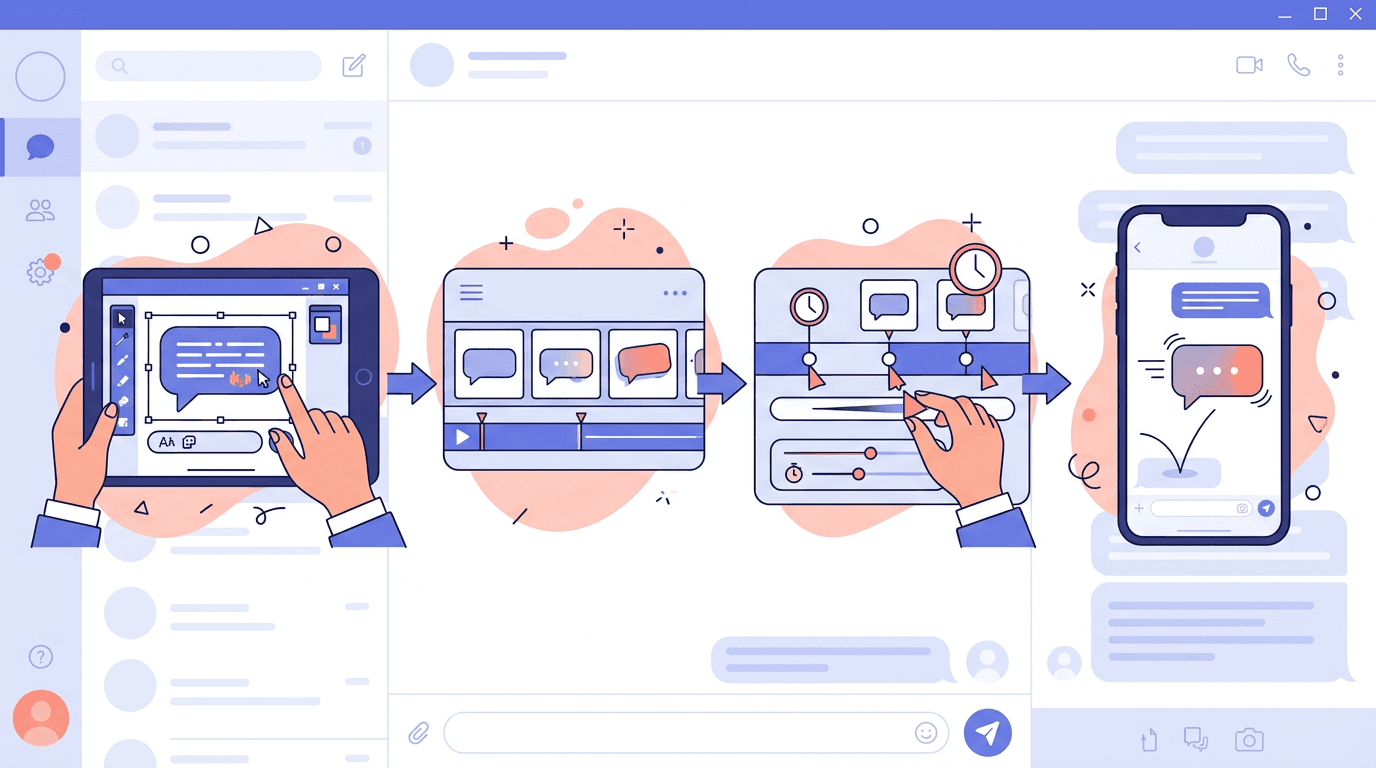
A GIF text message is an animated image that displays text with motion effects, often simulating the look of real-time typing. Unlike static text or images, these animations create an immediate visual impact and communicate emotion more effectively.
Common animation styles include:
- Typing effect — letters appear one by one, mimicking someone typing
- Glowing text — neon-style pulsing glow around the letters
- Bouncing text — letters jump with a springy animation
- Fade-in effect — text gradually materializes from transparent
- Wave effect — letters move in a flowing wave pattern
Why Use Animated GIF Text Messages?
Stand Out in Any Conversation
Plain text can feel flat and forgettable. An animated message adds personality and emotion, making your communication more memorable. Whether you're wishing someone a happy birthday or announcing a sale, motion captures attention in a way static text simply cannot.
Boost Engagement Across Platforms
Studies consistently show that animated content drives significantly higher engagement than static alternatives. GIF text messages can:
- Increase click-through rates by up to 26% in email campaigns
- Improve email open rates when used in subject line previews
- Grow social media interactions, encouraging shares and comments
- Enhance brand recall, since moving visuals are easier to remember
Versatile Use Cases
GIF text messages work across a surprising range of contexts:
| Use Case | Example |
|---|---|
| Social media | Animated quotes and headlines |
| Marketing | Email campaign headers and CTAs |
| Personal messages | Birthday wishes, thank-you notes |
| Presentations | Dynamic text slides |
| Gaming communities | Discord and Twitch emotes |
How to Create a GIF Text Message Online
Using our Text GIF Maker takes just minutes. Here's the complete process:
Step 1: Type Your Message
Open the Text GIF Maker and enter your message in the text input field. Keep it concise for the best visual result — shorter messages animate more cleanly and are easier to read.
Tips for great message copy:
- Aim for 50 characters or fewer for optimal readability
- Use simple, clear language for messages that need to be understood quickly
- Break long messages into multiple GIFs rather than cramming everything into one
Step 2: Choose Your Animation Style
Pick an animation that matches your message's tone and purpose:
- Typing effect — the classic typewriter-style reveal; great for announcements
- Glowing animation — neon pulsing glow; perfect for gaming and nightlife content
- Bouncing effect — playful jumping letters; ideal for celebrations
- Fade in — smooth, professional entrance; suits business and formal content
- Wave effect — flowing motion; works well for creative and artistic messaging
Step 3: Customize the Appearance
Adjust the visual settings to match your brand or personal style:
- Font selection — choose from multiple font families (serif, sans-serif, display)
- Text color — pick your primary text color using the color picker
- Background color — set a complementary or contrasting background
- Font size — scale up or down depending on how the GIF will be displayed
- Animation speed — control how fast or slow the text animates
Step 4: Preview Your GIF
Click the preview button to see exactly how your GIF text message will look. Take a moment to watch it loop a few times — you want to make sure the timing feels natural and the text is easy to read on every cycle.
Step 5: Generate and Download
Once you're happy with the preview, generate and download your GIF. The file will be ready to use immediately across any platform.
Create Your GIF Text Message Now →
Best Practices for GIF Text Messages
1. Keep It Simple
The most effective GIF text messages are clean and focused. A short, punchy message with smooth animation always outperforms a cluttered, text-heavy design. Resist the urge to pack in too much information.
2. Match Style to Platform
Different platforms have different expectations and audiences:
| Platform | Recommended Style |
|---|---|
| Business email | Subtle fade or slow reveal |
| Social media | Bold, eye-catching animations |
| Personal messages | Fun, playful bouncing effects |
| Gaming communities | Neon glow, fast animations |
3. Keep File Size Under 5MB
Larger GIF files take longer to load and may not display correctly on all platforms. Most chat apps and social networks have file size limits. Keeping your GIF under 5MB ensures broad compatibility and fast loading.
4. Test Before Sending
Always preview your GIF in the target environment before sharing it widely. Different apps and websites render GIFs differently — what looks great in a browser may appear differently in a mobile app.
5. Consider Color Context
Choose colors that work with where the GIF will be displayed. Dark-themed GIFs look striking in dark mode environments, while bright, high-contrast colors stand out on light backgrounds. If your message will appear across different contexts, opt for a neutral background that works everywhere.
Creative Ideas for GIF Text Messages
Looking for inspiration? Here are some popular ways people use animated text messages:
Birthday Wishes
Create a colorful "Happy Birthday!" message with bouncing letters and festive colors. Add a subtle sparkle animation to make it feel extra special.
Thank You Notes
Use an elegant fade-in animation with a classic serif font to craft a heartfelt thank-you message. The slow, graceful reveal makes the message feel sincere and thoughtful.
Promotional Announcements
Use bold glowing text to highlight promo codes, sale announcements, or limited-time offers. The pulsing glow creates urgency without being aggressive.
Quick Reaction GIFs
Create fast, expressive reaction messages like "LOL," "No way!" or "Amazing!" for everyday conversations. Short messages with quick animations work perfectly as instant reactions.
Motivational Quotes
Pair an inspiring quote with a smooth wave or reveal animation for social media posts. Motivational content with motion tends to get shared more than static text posts.
Technical Specifications for GIF Text Messages
| Parameter | Recommended Value |
|---|---|
| Dimensions | 480×270 px (16:9) or 400×400 px (1:1) |
| Frame rate | 15–24 FPS |
| Duration | 2–4 seconds |
| File size | Under 5MB |
| Color count | Up to 256 colors |
Sticking to these specs ensures your GIFs look great across the widest range of platforms and devices.
Troubleshooting Common Issues
GIF Won't Play
If your animated text message isn't playing:
- Confirm the platform supports animated GIFs (some older apps only show the first frame)
- Check that the file downloaded correctly and isn't corrupted
- Try reducing the file size or number of frames
- Re-download and re-upload the file
Text Is Too Small
If the text appears too small when viewed on a device:
- Increase the font size before generating the GIF
- Reduce the amount of text per GIF
- Export at a higher resolution (e.g., 600×338 instead of 480×270)
Animation Timing Feels Off
If the speed feels too fast or too slow:
- Adjust the animation speed slider in the tool
- Preview the GIF multiple times at different speeds before finalizing
- Consider your audience's reading speed — professional content usually benefits from a slower, more deliberate pace
Frequently Asked Questions
Can I use GIF text messages on WhatsApp and Telegram?
Yes! Both WhatsApp and Telegram fully support animated GIFs. Simply send your GIF as you would a regular image, and it will automatically play the animation. Most modern messaging apps support GIF playback.
What's the best animation style for social media?
For platforms like Instagram and Twitter/X, bold and eye-catching animations tend to perform best — think bright colors, glowing effects, or energetic bouncing text. For LinkedIn and professional networks, subtler animations like fade-ins look more appropriate.
Can I create GIF text messages on my phone?
Absolutely. Our Text GIF Maker works on both desktop and mobile browsers. The interface adapts to your screen size, making it easy to create GIFs on the go.
How do I make text appear letter by letter?
Select the "Typing" animation style in the Text GIF Maker. This creates the classic typewriter effect where each letter appears in sequence, simulating someone typing in real time.
Can I add emoji to my GIF text messages?
Most standard emoji are supported. Simply include them in your text input and they'll appear in the generated GIF. Note that some platforms may render emoji differently than others.
Is the Text GIF Maker free to use?
Yes, our Text GIF Maker is completely free. You can create and download animated text GIFs without any account or payment required.
What's the maximum text length for a GIF message?
While there's no hard limit, we recommend keeping messages under 50 characters for the best readability. Longer messages can be split across multiple GIFs for better visual impact.
Conclusion
GIF text messages are a powerful tool for making your communication more engaging, memorable, and fun. Whether you're creating content for social media, sending personal messages, or running a marketing campaign, animated text adds that extra dimension that static content simply can't match.
The best part? Creating them doesn't require any design skills or expensive software. Our free Text GIF Maker handles everything — just type your message, choose a style, and download.
Ready to make your words move? Start creating your first animated text message today.
Start Creating GIF Text Messages →
Looking for more GIF creation tools? Check out: GIF Maker | Text GIF Maker | Video to GIF