
Animated Favicon Browser Compatibility - Complete Cross-Browser Guide
Animated favicons can make your website stand out in crowded browser tabs, but browser support remains inconsistent and fragmented. Before investing time building animated favicon experiences, you need to understand exactly which browsers will render them and how to handle the rest gracefully.
Browser Support Overview
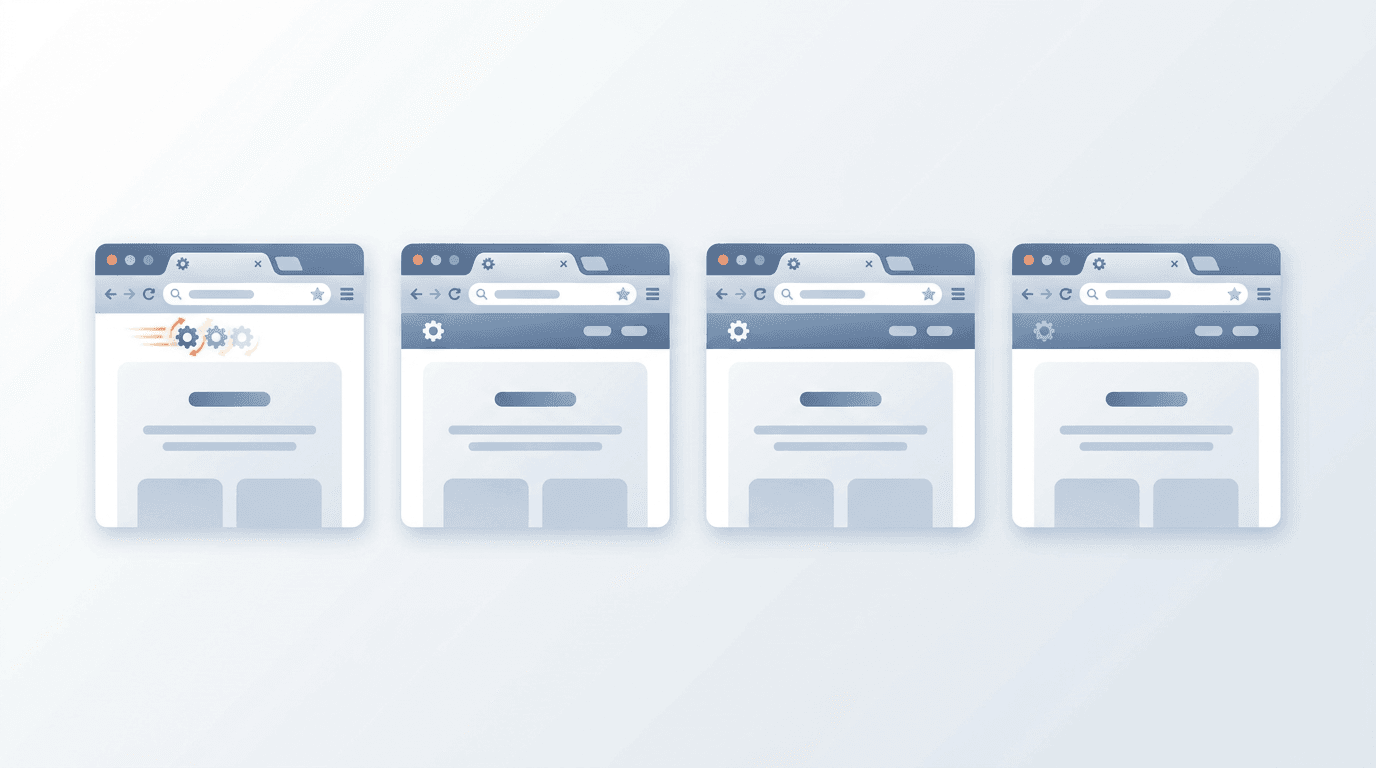
Here's the current state of animated favicon support across major browsers:
| Browser | Animated ICO | Animated GIF | APNG | Notes |
|---|---|---|---|---|
| Chrome | ❌ | ⚠️ Partial | ❌ | Shows first frame only |
| Firefox | ✅ | ✅ | ✅ | Full support |
| Safari | ❌ | ❌ | ❌ | Static only |
| Edge | ❌ | ⚠️ Partial | ❌ | Chromium-based behavior |
| Opera | ❌ | ⚠️ Partial | ❌ | Chromium-based |
| Brave | ❌ | ⚠️ Partial | ❌ | Chromium-based |
Bottom line: Only Firefox provides reliable animated favicon support. All Chromium-based browsers (Chrome, Edge, Opera, Brave) handle animated favicons inconsistently, while Safari ignores animation entirely.
Detailed Browser Analysis
Firefox — Best Support
Firefox has maintained animated favicon support since its earliest days, making it the gold standard for this feature:
- Animated GIF: Full support since Firefox 1.0
- Animated ICO: Supported across versions
- APNG: Full support since Firefox 3.0
- Frame timing: Respects original timing specified in the file
- Loop control: Honors loop count settings
Firefox renders animated favicons natively without any JavaScript workarounds, making them performant and battery-efficient for users on this browser.
Chrome — Limited and Inconsistent
Chrome's animated favicon behavior is notoriously unpredictable:
- Animated GIF: May animate briefly (1-2 cycles) then freeze on the current frame
- Animated ICO: Only the first frame is displayed — no animation whatsoever
- APNG: Treated as a static image; only the first frame renders
- Workaround required: JavaScript frame-swapping is needed for Chrome animation
The behavior can even vary between Chrome versions, making it impossible to rely on for a consistent user experience.
Safari — No Animation Support
Apple's Safari browser does not support animated favicons in any format:
- All formats (GIF, ICO, APNG) render as static images
- The first frame of any animation is displayed
- No planned support has been publicly announced
- JavaScript frame-swapping is the only workaround
Safari's strict stance on favicons is consistent across both macOS and iOS versions.
Edge — Inherits Chrome Behavior
Since Microsoft rebuilt Edge on the Chromium engine, it mirrors Chrome's behavior:
- Animated GIFs may briefly animate before freezing
- ICO animation is not supported
- APNG displays only the first frame
- The same JavaScript fallback approach applies
Format-Specific Support Details
Animated ICO Files
Animated ICO was once the most promising format for cross-browser favicons, but browser adoption never materialized:
| Browser | Support Level |
|---|---|
| Firefox | Full — respects all frames and timing |
| Chrome | None — static first frame |
| Safari | None — static first frame |
| Edge | None — static first frame |
Use case: Only worthwhile if Firefox users represent a significant portion of your audience.
Animated GIF Files
GIF has the broadest (though still limited) animated favicon support:
| Browser | Support Level |
|---|---|
| Firefox | Full |
| Chrome | Partial — may freeze after 1-2 cycles |
| Safari | None |
| Edge | Partial — may freeze after brief animation |
Use case: Best choice when you want the widest possible native animation support, accepting that Chromium browsers will eventually show a static frame.
APNG Files
Despite APNG's excellent support as a regular image format, its animated favicon support is restricted:
| Browser | Support Level |
|---|---|
| Firefox | Full |
| Chrome | None |
| Safari | None |
| Edge | None |
Use case: Mainly for Firefox-targeted animations where you want better quality than GIF.
Implementation Strategies
Knowing the browser landscape, here are three practical approaches depending on your goals:
Strategy 1: Firefox-Only Animation
The simplest approach — deliver animated favicons exclusively to Firefox users:
<!-- Static fallback for all browsers -->
<link rel="icon" type="image/png" href="/favicon.png">

<script>
if (navigator.userAgent.includes('Firefox')) {
  const links = document.querySelectorAll('link[rel="icon"]');
  links.forEach(el => el.remove());

  const animatedLink = document.createElement('link');
  animatedLink.rel = 'icon';
  animatedLink.type = 'image/gif';
  animatedLink.href = '/favicon-animated.gif';
  document.head.appendChild(animatedLink);
}
</script>
Pros: Zero performance overhead for non-Firefox users, no JavaScript required for Firefox. Cons: Only Firefox users see the animation.
Strategy 2: JavaScript Frame Animation (All Browsers)
For maximum browser coverage, cycle through static PNG frames using JavaScript:
const frames = ['/icon-frame-1.png', '/icon-frame-2.png', '/icon-frame-3.png'];
let currentFrame = 0;
let animationInterval;

function startFaviconAnimation() {
  const link = document.querySelector('link[rel="icon"]') ||
               document.createElement('link');

  if (!link.parentNode) {
    link.rel = 'icon';
    document.head.appendChild(link);
  }

  animationInterval = setInterval(() => {
    link.href = frames[currentFrame];
    currentFrame = (currentFrame + 1) % frames.length;
  }, 500);
}

function stopFaviconAnimation() {
  clearInterval(animationInterval);
}

// Start on page load
startFaviconAnimation();

// Stop when tab is hidden (save resources)
document.addEventListener('visibilitychange', () => {
  if (document.hidden) {
    stopFaviconAnimation();
  } else {
    startFaviconAnimation();
  }
});
Pros: Works in all browsers that support JavaScript. Cons: Higher CPU usage than native animation; requires maintaining multiple frame images.
Strategy 3: Progressive Enhancement (Recommended)
The best approach for production sites — start with a solid static favicon and enhance progressively:
<!-- Multiple static fallbacks for maximum compatibility -->
<link rel="icon" type="image/x-icon" href="/favicon.ico">
<link rel="icon" type="image/png" sizes="32x32" href="/favicon-32.png">
<link rel="icon" type="image/png" sizes="16x16" href="/favicon-16.png">
<link rel="apple-touch-icon" href="/apple-touch-icon.png">

<script>
function supportsNativeAnimatedFavicon() {
  return /Firefox\/(\d+)/.test(navigator.userAgent);
}

function initFaviconAnimation() {
  if (supportsNativeAnimatedFavicon()) {
    // Use native GIF for Firefox
    document.querySelectorAll('link[rel="icon"]').forEach(el => el.remove());
    const link = document.createElement('link');
    link.rel = 'icon';
    link.type = 'image/gif';
    link.href = '/favicon-animated.gif';
    document.head.appendChild(link);
  }
  // Other browsers get the static fallbacks above
}

initFaviconAnimation();
</script>
This approach ensures every user sees something appropriate, while Firefox users get the enhanced animated experience.
Testing Animated Favicons
Cross-Browser Testing Checklist
- Firefox (desktop): Verify full animation plays correctly with proper timing
- Firefox (mobile): Check behavior — performance limits may apply
- Chrome: Confirm graceful static fallback is displayed correctly
- Safari (macOS): Verify static icon renders properly
- Safari (iOS): Check Apple Touch Icon is correct
- Edge: Confirm Chromium fallback behavior
- Private/Incognito mode: Test behavior in restricted contexts
Quick Browser Detection Test
Add this to your dev console to check animated favicon support:
const isFirefox = /Firefox\/(\d+)/.test(navigator.userAgent);
console.log('Browser:', navigator.userAgent.split(' ').pop());
console.log('Native animated favicon support:', isFirefox ? 'Yes' : 'No');
console.log('Recommendation:', isFirefox
  ? 'Use native GIF/ICO'
  : 'Use JavaScript frame swapping if animation is needed'
);
Mobile Browser Support
Mobile browsers generally follow their desktop counterparts with some additional constraints:
iOS Safari
- No animated favicon support (same as desktop Safari)
- Favicons aren't prominently displayed in iOS Safari UI
- Focus on Apple Touch Icons for the iOS experience
- Static PNG/ICO will display correctly in any bookmarks
Android Chrome
- Same behavior as desktop Chrome
- Brief GIF animation may occur before freezing
- Static PNG recommended for reliable display
- Battery considerations apply more strongly on mobile
Firefox for Android
- Similar support to desktop Firefox
- Battery impact is a real consideration — animations drain power
- Consider disabling animation on mobile using CSS media queries or JavaScript detection
Performance Considerations
Animated favicons have a measurable impact on system resources:
| Browser | Animation Method | CPU Impact | Battery Impact |
|---|---|---|---|
| Firefox | Native GIF/ICO | Low | Minimal |
| Firefox | Native APNG | Low | Minimal |
| All Browsers | JS frame-swap | Medium | Moderate |
| Chrome/Edge | Native GIF | None (frozen) | None |
Performance Best Practices
For sites where performance matters:
- Limit frame count — 2-4 frames are sufficient for most effects
- Use slow timing — 500ms+ per frame reduces CPU cycles
- Pause when tab is hidden — Use the Page Visibility API
- Skip animation on mobile — Detect mobile browsers and serve static only
- Keep file size small — Under 20KB for favicon files
// Respect user's reduced motion preference
const prefersReducedMotion = window.matchMedia('(prefers-reduced-motion: reduce)').matches;
if (!prefersReducedMotion) {
  startFaviconAnimation();
}
Creating Compatible Animated Favicons
Best Practices for First Frame Design
Since most browsers will display only the first frame as a static favicon, your first frame needs to work as a standalone icon:
- Clear, recognizable brand mark at 16×16 and 32×32 pixels
- Good contrast against both light and dark browser chrome
- No text (too small to read at favicon sizes)
- Represents your brand effectively without animation
Converting GIF to Animated ICO
Use our GIF to ICO converter to create animated favicons optimized for browser compatibility:
- Upload your animated GIF source file
- Enable animation preservation in the settings
- Download the animated ICO file
- Keep the original GIF as a fallback option
- Implement the progressive enhancement strategy above
File Optimization Tips
| Optimization | Benefit |
|---|---|
| Small file size (< 20KB) | Faster loading everywhere |
| Clear first frame | Great static fallback |
| Simple animation | Works better in partial-support browsers |
| Slow frame timing | More likely to complete a cycle before freezing |
| Limited color palette | Smaller file, better GIF quality |
Future Browser Support
The landscape is unlikely to change dramatically in the near future:
- Chrome: No publicly announced plans to improve animated favicon support
- Safari: Apple has shown no indication of adding animated favicon support
- Edge: Will follow Chrome's lead as a Chromium browser
- Firefox: Already has excellent support; no changes expected
Recommendation: Design for static first. Treat animation as a progressive enhancement specifically for Firefox users.
Frequently Asked Questions
Which browsers support animated favicons?
Only Firefox provides reliable animated favicon support across all formats (GIF, ICO, APNG). Chrome and Edge may briefly animate GIFs before freezing on a static frame. Safari and iOS browsers display only static images regardless of format.
Should I implement animated favicons on my site?
Only if the benefit for Firefox users justifies the implementation effort. If Firefox represents less than 5% of your audience, the ROI is likely too low. Always ensure you have a high-quality static favicon as the foundation.
Which format works best for animated favicons?
GIF provides the broadest partial support. For Firefox-only animation, APNG offers better image quality. ICO with animation works in Firefox but offers no advantage over GIF in practice.
Can JavaScript animate favicons in all browsers?
Yes, JavaScript frame-swapping works across all modern browsers. However, it consumes more CPU resources than native animation and requires maintaining multiple static frame images. Use the Page Visibility API to pause animation when the tab is hidden.
Will Chrome ever support animated favicons?
There are no officially announced plans. Chrome has de-prioritized this feature for years. Design your solution assuming Chrome will always show a static favicon.
How do I ensure my first frame looks good as a static icon?
Test your favicon at actual 16×16 and 32×32 pixel sizes. Ensure strong contrast, clear silhouette, and recognizable branding. Avoid fine details that disappear at small sizes.
Summary
Animated favicon support remains a Firefox-only feature in any reliable sense. For cross-browser projects, implement progressive enhancement with a strong static fallback as the default, then layer in animation for Firefox users — either natively via GIF/ICO or universally via JavaScript frame-swapping.
Before adding animated favicons, ask whether the visual enhancement for a subset of users is worth the implementation complexity. In most cases, a well-designed static favicon delivers better overall brand value.
Ready to create your animated favicon? Use our GIF to ICO converter to get started.
Create Your Animated Favicon →
Related tools: Favicon Generator | GIF to PNG Converter | Image Optimizer